WordPress SEO Checklist 2026: 30 Steps to Set Up and Optimise Your Site
This is the order I set up SEO on every WordPress site, from a fresh install to a site ready for Google and AI search. It works whether you use Yoast, Rank Math or SEO Rank Genius. Tick off each step, and link through to the detailed guide wherever you need more.
How to do SEO on WordPress: the short version
To do SEO on WordPress: make the site indexable, set clean permalinks, install one SEO plugin, connect Google Search Console and Bing, submit your sitemap, then write one helpful page per search topic, link your pages together and add schema. Check performance monthly in Search Console.
Stage 1: WordPress foundations (steps 1 to 6)
- Allow search engines. In Settings, Reading, make sure Discourage search engines from indexing this site is unticked. This one box has hidden many new sites from Google.
- Use HTTPS everywhere. Your site should load on https with one version of the domain, and redirect the others.
- Set permalinks to Post name. In Settings, Permalinks, choose Post name so URLs look like
/leaking-tap-fix/. - Set your site title and tagline in Settings, General. They appear in titles and in how Google names your site.
- Choose a fast, well coded theme and avoid stacking page builders and plugins you do not need.
- Delete sample content such as the Hello world post and Sample page, so they never get indexed.
Stage 2: WordPress SEO setup with a plugin (steps 7 to 13)
Pick one SEO plugin. The best SEO plugins guide compares the options; if you use Yoast, this list works as a Yoast SEO checklist too, because every step maps to a Yoast setting.
- Install one SEO plugin only, and run its setup wizard. Two SEO plugins output duplicate tags.
- Set title templates: post title plus site name, under about 60 characters.
- Write meta descriptions for your home page and main pages, around 120 to 155 characters.
- Turn on the XML sitemap and check it loads. See the WordPress sitemap guide.
- Noindex thin archives: tags, author archives on single author sites, and attachment pages.
- Add Organization or LocalBusiness schema with your name, logo and contact details. See the schema markup guide.
- Set social sharing defaults: a default Open Graph image and your social profiles.
Stage 3: Connect search engines (steps 14 to 18)
- Verify your site in Google Search Console and submit your sitemap under Indexing, Sitemaps.
- Verify in Bing Webmaster Tools. You can import straight from Search Console. Bing data also feeds ChatGPT search.
- Turn on IndexNow so Bing and others hear about new and updated pages within minutes.
- Check robots.txt does not block important sections, and that it lists your sitemap.
- Decide on AI crawlers: allow AI search bots so you can be cited, and block training bots only if you want to. Add an llms.txt file if your plugin maintains it.
Stage 4: Content that ranks (steps 19 to 24)
- Research keywords with Google Keyword Planner or Search Console, and group them by search intent.
- Give each topic one page. Two pages chasing the same search compete with each other. See keyword cannibalization.
- Answer first. Put a direct two or three sentence answer under each question heading, then the detail.
- Use one H1 and logical H2 and H3 headings that read like the questions people ask.
- Add original value: your own photos, data, examples and opinions. This is what earns rankings and AI citations.
- Optimise images: descriptive file names, alt text, WebP format and sensible sizes.
Stage 5: Internal links and structure (steps 25 to 27)
- Plan topic clusters: one pillar page per core topic, with supporting posts linked to it.
- Link every new post from two to five older posts with descriptive anchor text. See the internal linking guide.
- Fix orphan pages that nothing links to.
Stage 6: Speed, checks and monitoring (steps 28 to 30)
- Check Core Web Vitals in Search Console and PageSpeed Insights. Use caching and compress images.
- Monitor 404s and add redirects whenever you change a URL or delete a page.
- Review Search Console monthly: pages not indexed, queries gaining or losing clicks, and the generative AI report for AI Overviews and AI Mode impressions.
The WordPress SEO checklist at a glance
| Stage | Steps | Detailed guide |
|---|---|---|
| Foundations | Indexing on, HTTPS, permalinks, clean theme | This page |
| SEO plugin | Titles, meta, sitemap, noindex archives, schema | Best SEO plugins |
| Search tools | Search Console, Bing, IndexNow, robots.txt, AI crawlers | IndexNow guide |
| Content | Keywords, one page per topic, answer first, images | AI SEO guide |
| Links | Clusters, internal links, orphans | Internal linking guide |
| Monitoring | Speed, 404s and redirects, monthly review | Sitemap guide |
Bookmark this table and work through it once a quarter.
Keep reading
Start with the plugin decision in the best SEO plugins guide, then spend most of your time on content and internal links; that is where rankings are won.
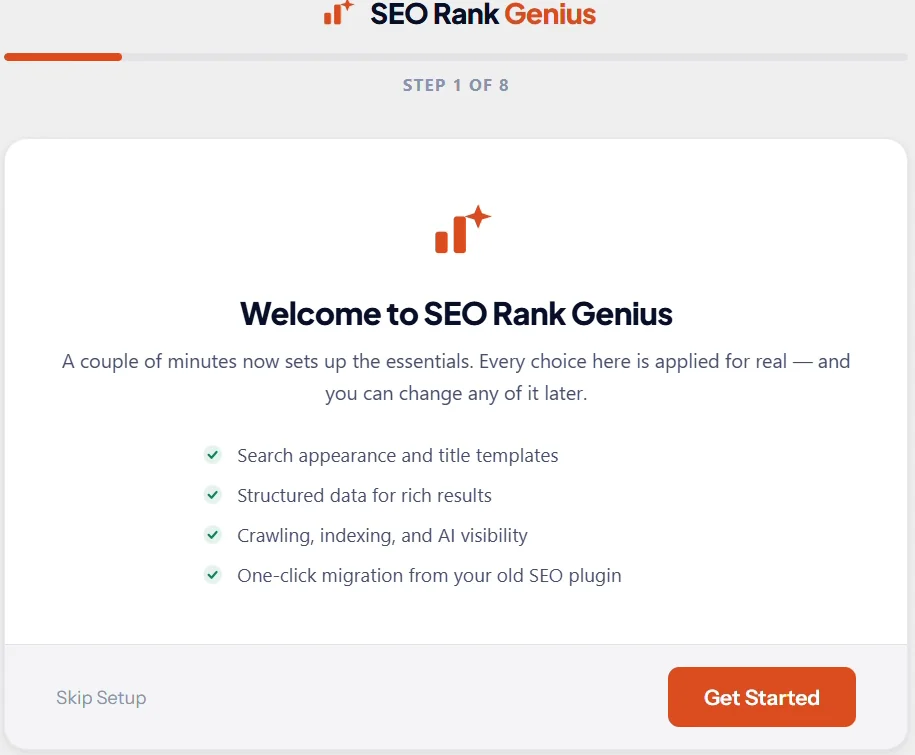
SEO Rank Genius has a setup wizard that covers titles, schema, sitemaps, IndexNow and AI crawler settings, and imports your old SEO plugin’s data.