Internal Linking for SEO: The Complete Guide and Strategy for 2026
Internal links are the links between pages on your own site. They are the one ranking factor you fully control, and most sites use them badly: important pages get too few, old posts get none, and anchor text says nothing. This guide gives you a simple strategy you can apply in an afternoon.
What is internal linking?
Internal linking means adding links from one page on your website to another page on the same website. Internal links help search engines find your pages, understand what each page is about, and judge which pages matter most. They also guide visitors to the next useful page.
Every link in your menu, footer, breadcrumbs and article text is an internal link. The ones that carry the most weight for SEO are contextual links: links placed inside the body of a post, surrounded by related words, with anchor text that describes the page they point to.
| Internal link | External link | |
|---|---|---|
| Points to | Another page on your site | A page on a different site |
| Who controls it | You, completely | The other site owner |
| Main SEO job | Discovery, context and passing authority around your site | Credibility for your claims; backlinks from others build authority |
| Example | A plumbing guide linking to your boiler service page | Your guide citing a government safety page |
Why internal links matter for SEO
- Discovery. Google finds new pages mainly by following links. A page with no internal links pointing to it is hard to find and often crawled rarely.
- Context. Anchor text and the words around a link tell Google what the target page is about, before it even crawls it.
- Authority flow. Pages that earn backlinks pass some of that value to the pages they link to. Internal links decide where it goes.
- Priority signals. Pages you link to often, from important places, look important. Pages buried five clicks deep look like an afterthought.
- Visitors stay longer. A good next link keeps a reader on your site and moves them toward a service or product page.
A simple internal linking strategy
You do not need a complex model. These six steps cover almost every site.
1. Decide which pages matter most
Start with the pages you want to rank: service pages, product categories, key guides. These should receive the most internal links on your site.
2. Organise content into topic clusters
Group posts by topic, with one main pillar page for each group. This is the backbone of a good linking structure, and it also prevents two posts competing for the same search. The full method is in the guide to topic clusters and pillar pages.
3. Link supporting posts to the pillar
Every post in a cluster should link to its pillar page with descriptive anchor text, and the pillar should link back to each post. That tells Google which page is the main one for the broad topic.
4. Link related posts to each other
Where it genuinely helps the reader, link sideways between posts in the same cluster. A post about fixing a leaking tap can link to the one about replacing a washer.
5. Use your strongest pages
In Google Search Console, open Links, then Top linked pages under external links. Pages with the most backlinks are your strongest. A link from them to a page that needs help is worth more than ten links from weak posts.
6. Update old posts every time you publish
New posts start with zero internal links pointing at them. After publishing, find two to five older posts that mention the topic and add a link to the new one. This single habit fixes most internal linking problems.
Anchor text: what to write in the link
Anchor text is the clickable text of a link. It is one of the clearest signals you can give about the target page.
| Anchor text | Verdict | Why |
|---|---|---|
| click here | Weak | Says nothing about the target page. |
| this article | Weak | Same problem, and unhelpful for screen reader users. |
| boiler service | Good | Short, descriptive and matches the page’s topic. |
| how to bleed a radiator | Good | Describes exactly what the reader will get. |
| cheap boiler service Leeds best price boiler repair | Bad | Stuffed with keywords; reads as spam. |
Describe the destination in natural words. Vary anchors across different linking pages.
- Use two to six words that describe the target page.
- Vary the wording across different pages. Ten identical exact match anchors look unnatural.
- Never use the same anchor text to point at two different pages. That confuses the signal.
- Make the link make sense out of context, for readers who scan.
How many internal links should a page have?
There is no magic number, and Google has never published one. Use these guidelines instead:
- Long guides: often 5 to 15 contextual links, as long as each one helps the reader.
- Short posts: two to five links is usually enough.
- Every important page: should receive links from several other pages, not just the menu.
- Click depth: key pages should be reachable within three clicks of the home page.
The limit is usefulness. If a link would not help someone reading that paragraph, leave it out.
How to audit your internal links
- Find orphan pages: pages with no internal links pointing to them. They are the most urgent fix.
- Check your money pages: count the internal links each one receives. Too few means they look unimportant.
- Look for broken internal links and links that go through redirects. Point them straight at the final URL.
- Review anchor text on your top pages. Replace vague anchors with descriptive ones.
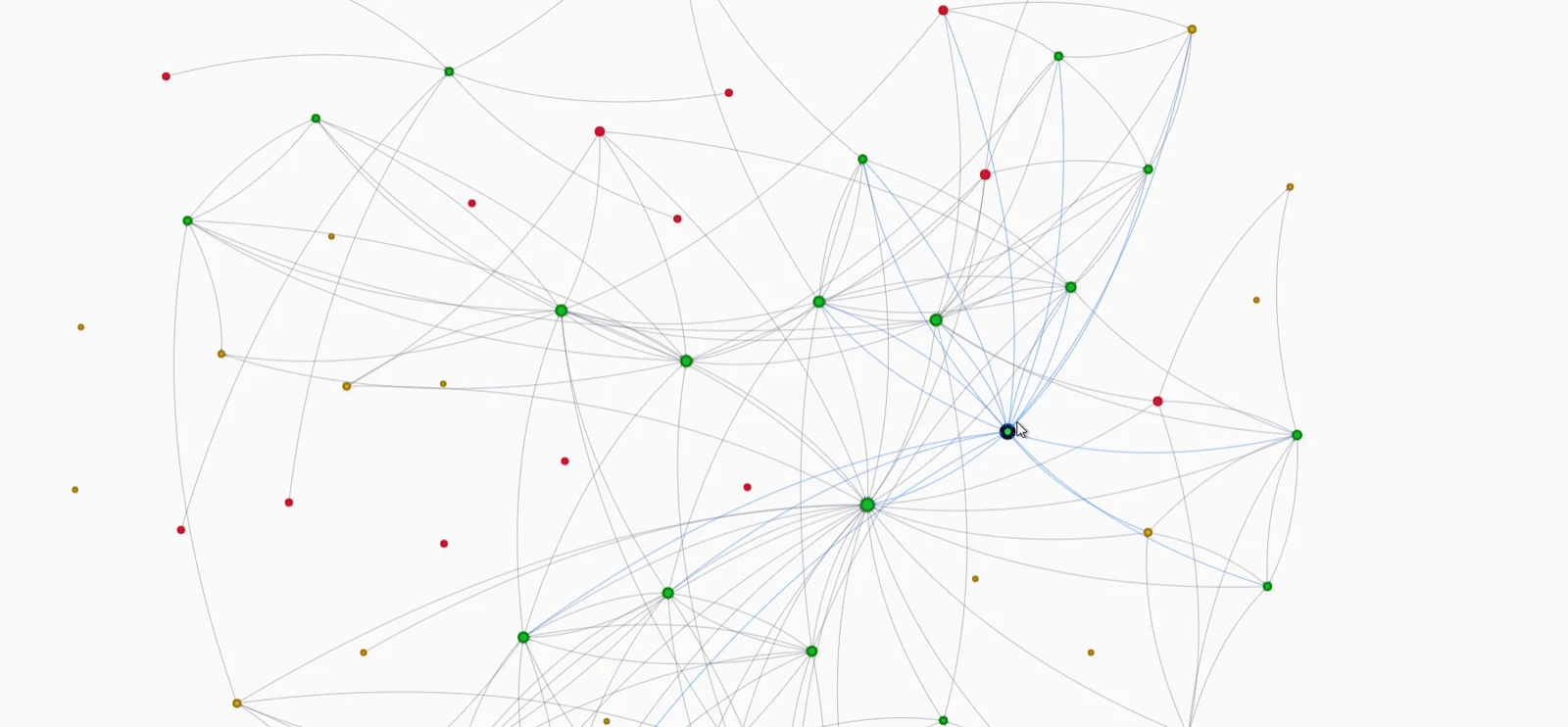
- Visualise the structure. A link graph shows clusters, isolated pages and pages that everything points to.
Orphan pages deserve their own process; the orphan pages guide covers how to find and fix them.
How to add internal links in WordPress
By hand
Highlight text in the block editor, press Ctrl+K (Cmd+K on a Mac) and start typing the title of the post you want. WordPress searches your own content. It works, but finding every place a new post should be linked from, across hundreds of old posts, is where manual linking breaks down.
With SEO Rank Genius
In Link Management, scan a post’s focus keyword and the plugin finds every place on your site that mentions it. You see each proposed link in its sentence, before and after, then insert them one at a time or all at once.
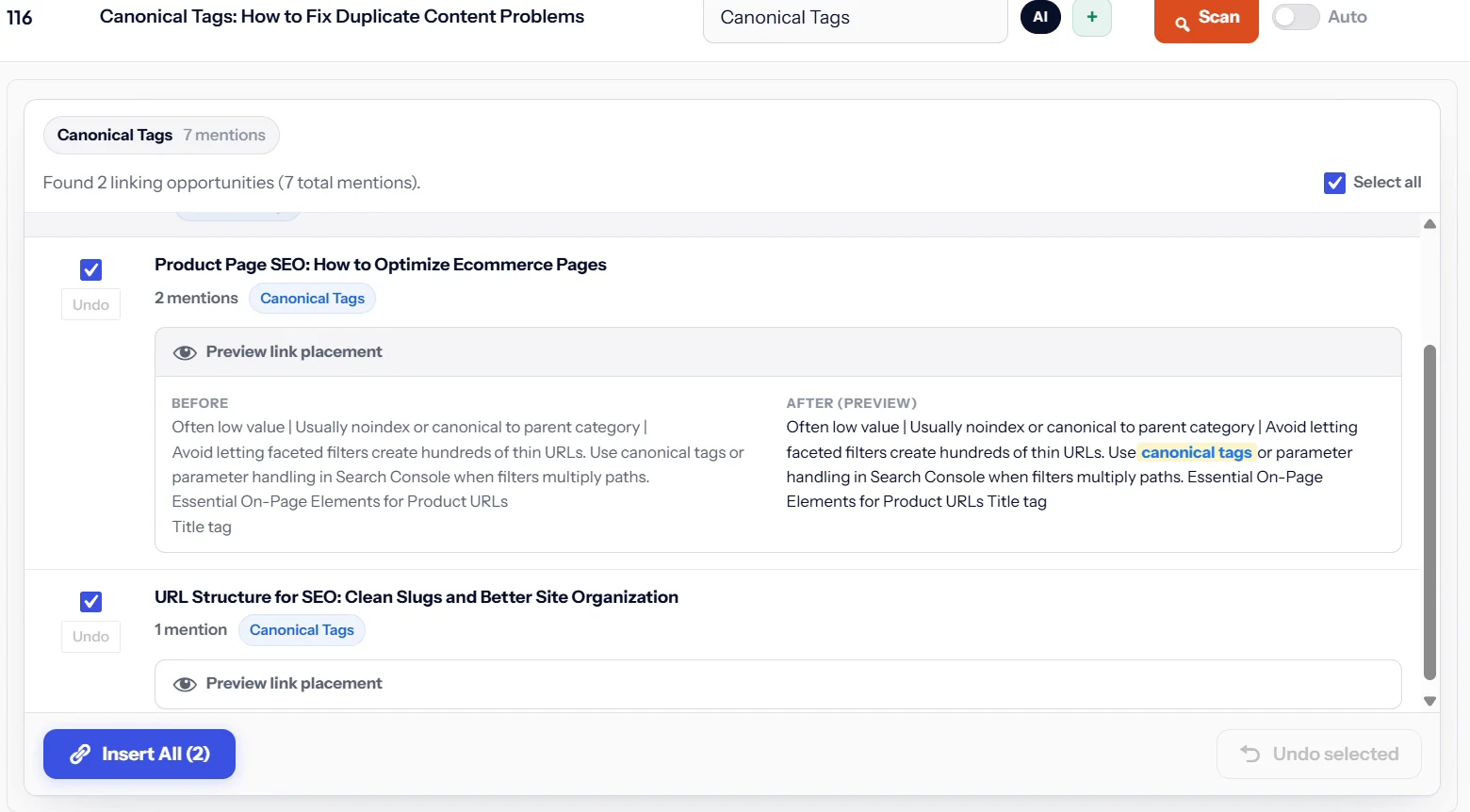
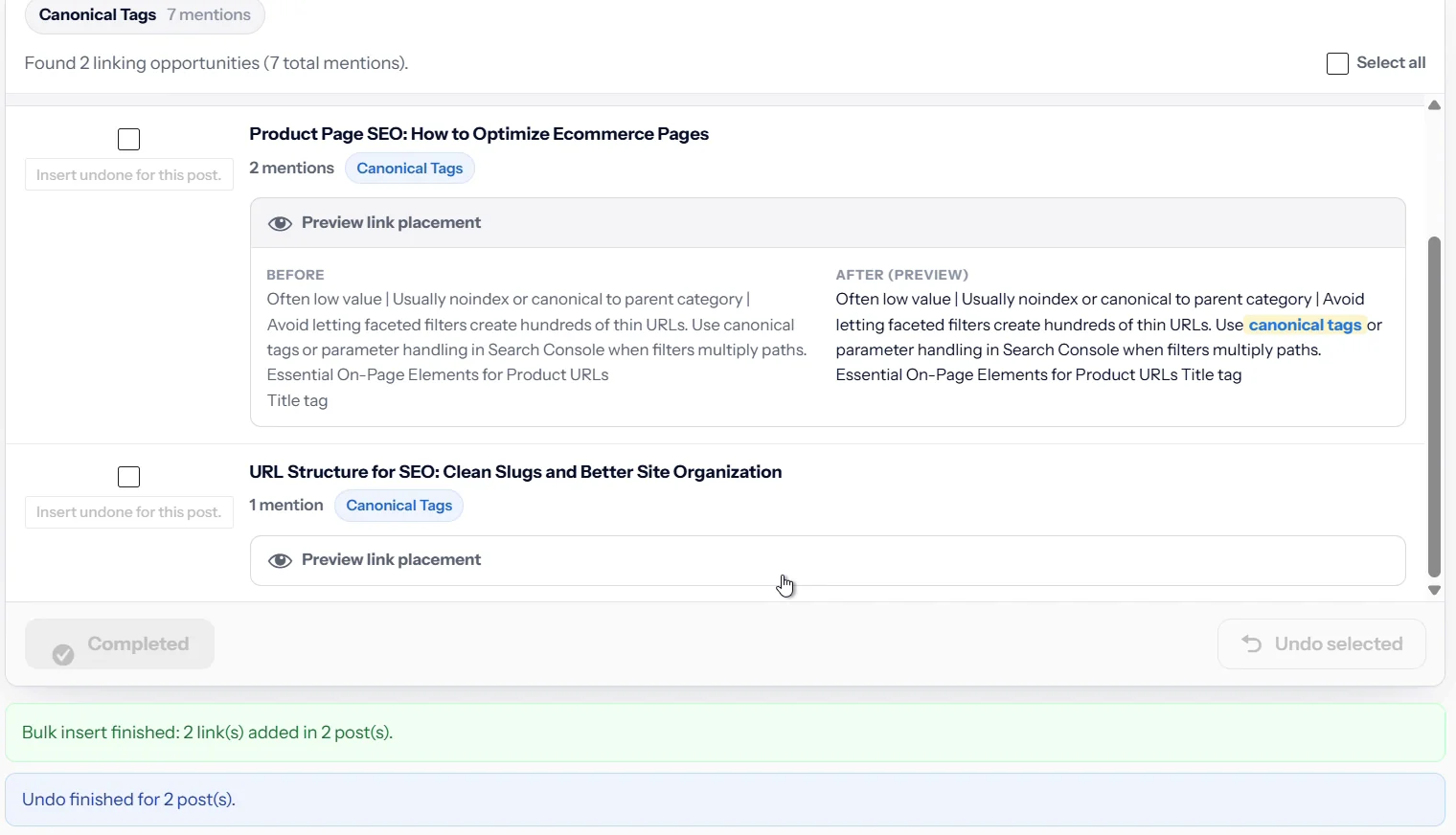
Every change can be undone, one link or a whole batch, and the original content comes back exactly as it was. That makes bulk linking safe to try.
The Link Graph draws your whole site as a map. Each dot is a page and each line is an internal link, so orphans and weak clusters stand out immediately.
Link Management, the Link Graph and orphan reports are part of every plan; see current pricing. Comparing tools? See the best internal linking plugins and our Link Whisper review.
Internal linking SEO best practices: mistakes to avoid
- Only linking through menus. Menu links help, but contextual links carry more meaning.
- Linking to redirected URLs. Update links after changing a slug.
- Adding nofollow to internal links. It wastes the signal. Use it only for pages like login screens.
- Auto linking every mention. Rules that link every instance of a word create clutter and repeated anchors.
- Two pages targeting one topic. Links cannot fix keyword cannibalization; merge the pages first.
- Forgetting old posts. The best internal link to a new post usually comes from an old post that already ranks.
Keep reading
Next, find the pages nothing links to with the orphan pages guide, then plan your content around topic clusters so every new post has an obvious place in your linking structure.
SEO Rank Genius finds link opportunities across your site, shows each one in context, and lets you insert or undo in bulk.