Is a Premium WordPress SEO Plugin Worth Paying For? Rank Math Pro and Yoast Premium Compared
Short answer: for most single WordPress sites, no. The free versions of Rank Math and Yoast SEO already handle titles, meta descriptions, XML sitemaps, canonical URLs and schema. A premium SEO plugin is worth paying for when you have one specific job the free version cannot do, such as managing redirects in Yoast, tracking keyword positions inside WordPress, or building internal links across hundreds of posts. Pay for the job, not the badge.
 Irfan, founderUpdated 15 Oct 20267 min read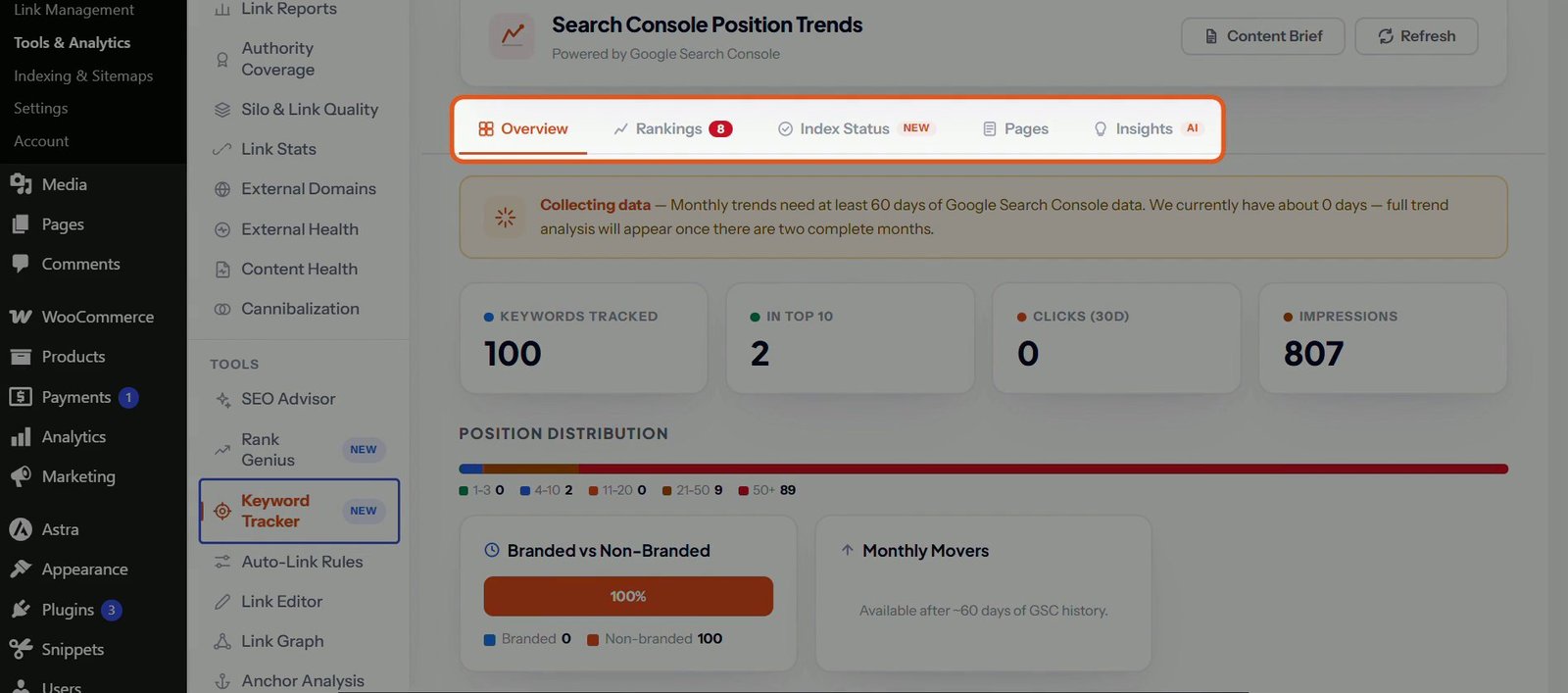
Contents
- What do the free versions already do?
- What does Yoast SEO Premium add?
- What does Rank Math Pro add?
- Free vs premium: which jobs need a paid plan?
- How do I decide if I need to pay?
- Who should pay for Yoast Premium or Rank Math Pro?
- Who needs neither?
- What neither premium plan really solves
- The honest verdict
- FAQ
- Both free plugins already handle titles, descriptions, sitemaps, canonical URLs and basic schema.
- Yoast Premium is bought mainly for redirects, which Rank Math includes free.
- Rank Math Pro adds keyword rank tracking inside WordPress and bulk internal link tools.
- Your Search Console data, not a feature list, tells you which job you actually need to pay for.
- Many single sites need neither paid plan. Pay for the job, not the badge.
This guide compares what Rank Math Pro and Yoast SEO Premium add over their free versions, using each vendor’s own plugin description, and gives you a simple way to decide from your own Search Console data. Disclosure: I build SEO Rank Genius, a competing plugin. There are no affiliate links in this article.
What do the free versions already do?
More than most people expect. The basics of technical SEO are free in both plugins, and they have been for years.
According to the Yoast SEO plugin description, the free plugin includes SEO and readability analysis, schema.org structured data, XML sitemaps, canonical URLs, breadcrumbs, crawl settings, llms.txt management and a bulk editor for titles, meta descriptions and focus keyphrases.
The Rank Math plugin description lists an even longer free feature set: a setup wizard, more than 16 schema types, up to five focus keywords per post by default, Search Console and Google Analytics integration, a redirection manager, a 404 monitor, internal link suggestions, automatic image alt text, a role manager and WooCommerce product schema.
If your site is a small business site or a blog that rarely changes URLs, either free plugin covers what search engines need from you. What moves rankings after that is content, links and site structure, and no plugin tier changes those for you.
What does Yoast SEO Premium add?
From the Premium section of Yoast’s own description, the main additions are:
- Redirect manager with bulk tools, CSV import and export, and a prompt when you move or delete content. This is the feature most people buy Premium for, because the free Yoast plugin has no redirects.
- AI tools in the editor: AI generated titles and meta descriptions (per post or in bulk), keyphrase placement suggestions, post summaries and a Content Planner.
- Internal linking suggestions while you write, and SEO workouts for orphaned and cornerstone content.
- Up to five keyphrases per post, social previews for Facebook and X, and IndexNow.
- A bot blocker for AI crawlers such as GPTBot, CCBot and Google Extended, plus more schema types.
- Local, Video and News SEO add ons included, and round the clock support.
Yoast WooCommerce SEO is a separate product built on top of Premium. Premium is licensed per site, so the cost grows with every site you add. I covered the details in the Yoast SEO Premium review.
What does Rank Math Pro add?
Rank Math’s description lists these Pro features:
- Keyword rank tracking with position history, and reports on your top winning and losing posts and keywords.
- AI Link Genius: AI internal link suggestions, automatic linking of keyword variations, link audits and bulk link updates.
- Advanced schema: more than 20 predefined types, a schema builder, schema templates, conditional schema and importing schema from other sites.
- Automation: bulk index and noindex actions, CSV import of SEO meta, automatic video schema and image watermarks.
- WooCommerce extras: GTIN and MPN identifiers (including on variations), custom brands and automatic noindex for hidden products.
- Round the clock support.
Rank Math Pro covers unlimited personal sites on one plan, which makes it the easier upgrade if you own several sites. See the Rank Math Pro review for the full breakdown.
Free vs premium: which jobs need a paid plan?
| Job | Yoast free | Yoast Premium | Rank Math free | Rank Math Pro |
|---|---|---|---|---|
| Titles, meta, sitemaps, canonicals | Yes | Yes | Yes | Yes |
| Basic schema | Yes | More types | 16+ types | 20+ types, builder, templates |
| Redirects | No | Yes | Yes | Yes |
| Bulk editing of titles and descriptions | Yesmanual | Yeswith AI drafts | Per post | Quick edit, bulk actions, CSV import |
| Internal link suggestions | No | Yes | Yes | AI Link Genius, bulk updates |
| Keyword rank tracking in WordPress | Via integrations | Via integrations | No | Yes |
| Local, video and news SEO | No | Included | Local SEO tools | Video schema, more sitemaps |
| llms.txt | Yes | Yes | Yes | Yes |
| Priority support | No | Yes | No | Yes |
Sources: the Yoast SEO and Rank Math plugin descriptions linked above, and our own tests for the reviews. Features change often, so confirm on the vendor’s site before you buy.
How do I decide if I need to pay?
Most comparisons stop at feature lists. A better question is which problem is actually holding your site back. Your own Search Console data answers that in about fifteen minutes.
- List the jobs you do every week. If you change slugs, delete posts, publish often or run a shop, write that down. If you publish twice a month, write that down too.
- Open the Search Console Performance report for the last three months. Look for pages with many impressions and few clicks. That is a titles and descriptions problem, and both free plugins let you fix it by hand.
- Open the Pages report under Indexing. Many “Not found (404)” errors after URL changes point to a redirect problem. Yoast users need Premium or a separate redirect plugin. Rank Math users already have it free.
- Check how your pages link to each other. If new posts sit with no internal links pointing to them, you have an internal linking problem. Adding a few links by hand is free; a tool only pays off once you have dozens of posts to connect.
- Count your sites. One site keeps the decision simple. Several sites make per site licensing expensive and favour plans that cover many sites.
- Pay only if a paid feature fixes a problem you found in steps 2 to 4. If nothing turned up, the free plugin is not your bottleneck.
Who should pay for Yoast Premium or Rank Math Pro?
- Yoast free users who change URLs often. The redirect manager alone justifies Premium for a site that restructures content, or you can add a free redirect plugin instead.
- Local businesses already on Yoast. Local SEO now comes inside Premium, so one subscription covers redirects and local schema.
- Owners of several sites who want rank tracking. Rank Math Pro covers unlimited personal sites and adds keyword tracking inside WordPress.
- WooCommerce stores with large catalogues. Product identifiers, bulk actions and CSV meta import save real hours.
- Teams that want support. Free plugins rely on community forums. If a broken setting costs you money, paid support is insurance.
Who needs neither?
- A brochure site of ten to thirty pages that rarely changes.
- A personal blog where content quality is the real constraint.
- Anyone already on Rank Math free who does not need rank tracking. The free plan includes redirects, a 404 monitor and Search Console data.
- Anyone who has not yet finished the basics. Work through the WordPress SEO checklist first. A paid plugin will not make up for a site that is missing them.
What neither premium plan really solves
Two jobs come up often and are worth checking before you assume an upgrade will cover them.
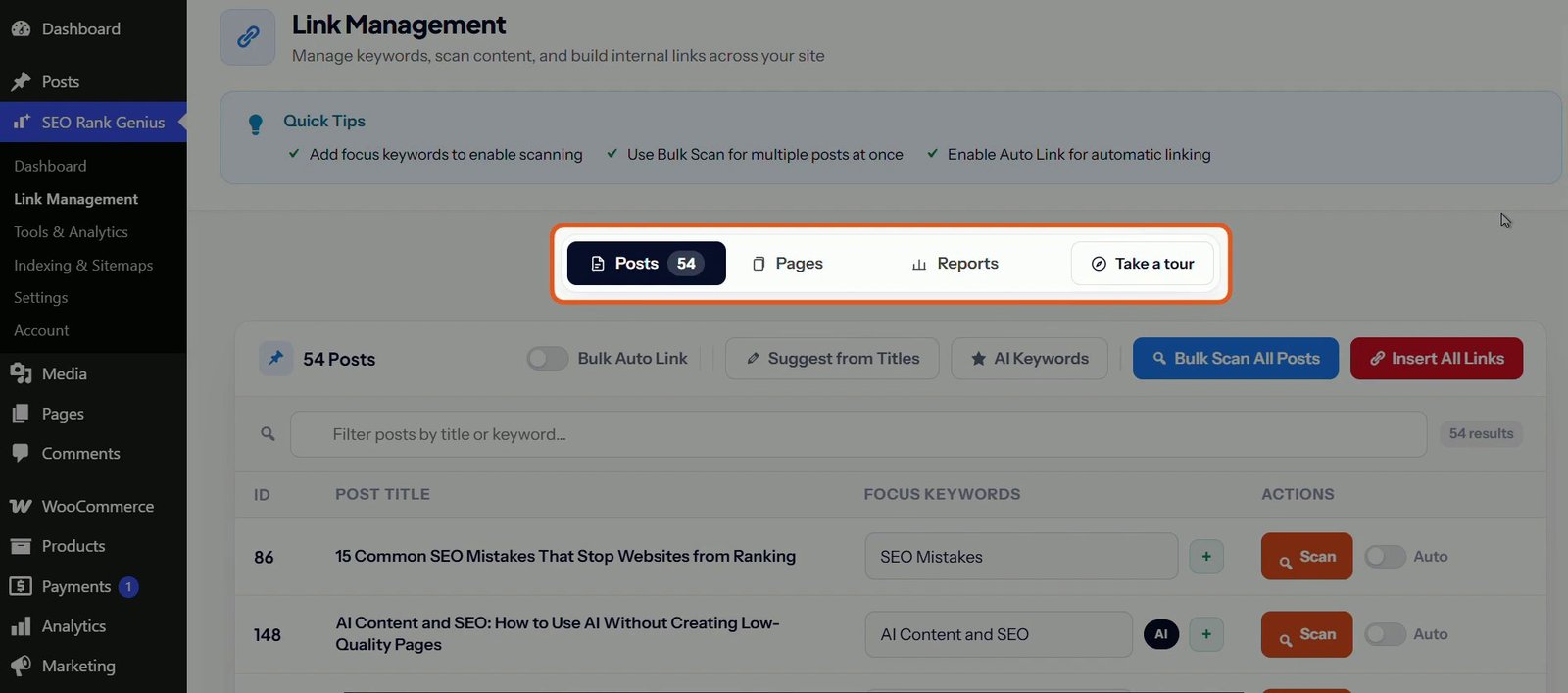
Internal links in older posts. Yoast Premium suggests links while you write a post. In our tests it did not find places in older posts that should link to a new one, and it has no bulk insert. Rank Math Pro’s AI Link Genius goes further with bulk link updates and keyword auto linking, but it is newer than dedicated linking tools and suggestions still need a human check. This gap is why I built bulk insert with preview and undo into SEO Rank Genius. The internal linking plugins comparison covers the other options fairly.
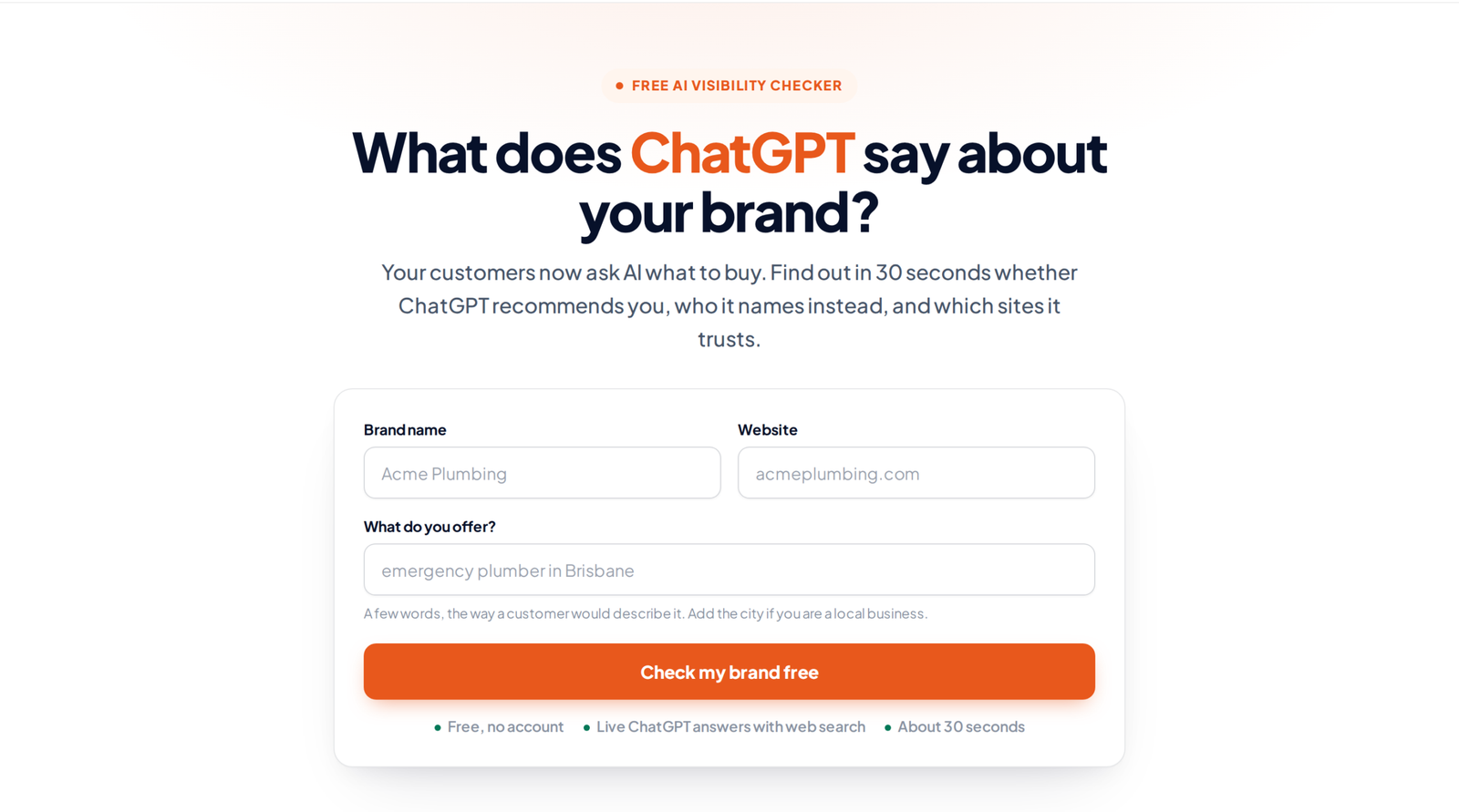
Whether AI assistants mention you. More people now ask ChatGPT, Perplexity or Gemini for recommendations. Yoast and Rank Math both help AI crawlers read your site, through schema, llms.txt and crawler controls. Rank Math has also added an AI Visibility module that tracks how ChatGPT and Gemini mention your brand; check its plan page for which tier includes it. If you only want to know where you stand today, the free AI Visibility Checker asks ChatGPT three questions about your business and shows whether you are named. SEO Rank Genius tracks this over time across ChatGPT, Perplexity and Gemini, including which competitors are named instead and which sites the AI read.
The honest verdict
Start free. Rank Math free is the most complete free option, and Yoast free is the calmest and easiest to understand. Upgrade when you can name the job. For Yoast users that job is usually redirects or local SEO. For Rank Math users it is usually rank tracking across several sites. If you cannot name a job, keep your money and spend the time on content. For a wider view of every option, see the best SEO plugins for WordPress.
FAQ
Is Rank Math Pro worth it for one site?
Usually not. Rank Math free already includes redirects, a 404 monitor, schema and Search Console data. Pro is worth it for one site only if you want keyword rank tracking or advanced schema inside WordPress.
Is Yoast SEO Premium worth it?
It is worth it for a single site that needs a redirect manager, local SEO or AI titles inside the editor. It is harder to justify across several sites because it is licensed per site.
Can I rank on Google with a free SEO plugin?
Yes. Google ranks pages on their content and links, not on which plugin tier you use. Free plugins output the same titles, sitemaps and schema basics that paid versions do.
What is the difference between Yoast SEO free and Premium?
Premium adds a redirect manager, AI titles and descriptions, internal linking suggestions, up to five keyphrases, IndexNow, an AI crawler blocker, more schema types, the Local, Video and News add ons, and support. The free plugin covers analysis, sitemaps, schema basics and llms.txt.
Should I switch plugins instead of upgrading?
Sometimes. If the only reason to upgrade Yoast is redirects, Rank Math free already includes them and imports Yoast settings. Read Rank Math vs Yoast before you switch, and back up your site first.
See what ChatGPT says about your site
Your customers now ask AI what to buy. The free checker shows whether ChatGPT recommends you, who it names instead, and which sites it trusts, in about 30 seconds.
Run the free check