Topic Clusters and Pillar Pages: How to Build Them in WordPress (With Examples)
A topic cluster is a group of pages about one subject: one broad pillar page, plus several supporting pages that each answer a narrower question, all linked together. It is the simplest way to show Google and AI search tools that your site covers a topic properly. Here is how to plan one and build it in WordPress.
What are topic clusters and pillar pages?
A topic cluster is a set of related pages built around one core topic. The pillar page covers the topic broadly and links to cluster pages, each of which covers one subtopic in depth and links back to the pillar. Together they show search engines that your site is a complete resource on that topic.
| Part | What it is | Example for a plumbing business |
|---|---|---|
| Pillar page | A broad guide or service page targeting the main topic | Boiler repair and servicing |
| Cluster pages | Focused pages, each answering one narrower question | Boiler losing pressure, boiler making noise, how often to service a boiler |
| Internal links | Cluster to pillar, pillar to cluster, related cluster to cluster | Every boiler post links to the boiler pillar with a descriptive anchor |
Why topic clusters help SEO and AI search
- Topical depth. Covering the follow up questions shows you know the subject, not just one keyword.
- Clear internal links. The structure tells Google which page is the main one and passes authority between related pages.
- No competing pages. Each page has one job, which prevents keyword cannibalization.
- More ways in. Cluster pages rank for long tail questions and send readers to the pillar.
- AI answers. AI search splits a question into sub questions and looks for a page that answers each one. A cluster gives it a good page for every part. See the AI SEO guide.
Topic clusters vs silo structure in SEO
Silo structure SEO is an older idea with the same goal: group related content so topics stay separate and clear. The difference is how strictly links are controlled.
| Topic cluster | Strict silo | |
|---|---|---|
| Structure | Pillar plus cluster pages | Category tree, often mirrored in URLs |
| Links between topics | Allowed where they help the reader | Avoided, links stay inside the silo |
| Links inside the topic | Cluster to pillar, pillar to cluster, and related clusters | Mostly up to the parent and down to children |
| Flexibility | High | Low |
| Best for | Most blogs and business sites | Large sites with very distinct product lines or locations |
Most sites do best with clusters plus a little silo discipline: keep links topical and send every cluster page up to its pillar.
How to plan a topic cluster, step by step
- Pick a core topic that matters to your business, such as a main service or product category.
- Choose the pillar keyword. This is the broad term, like boiler repair. Use Google Keyword Planner or Search Console to see volume.
- Collect subtopics. Look at People also ask boxes, related searches, Search Console queries and customer questions. Group ones that share intent.
- Assign one page per subtopic in a spreadsheet: URL, target keyword, intent and the pillar it belongs to.
- Check existing content. Many clusters are half built already. Update and link what you have before writing anything new.
- Write the gaps, then link every page as you publish.
How to write a pillar page for SEO
- Cover the whole topic at a summary level and link out to the cluster page for each detail.
- Answer the main question first, in two or three sentences near the top.
- Use a clear table of contents with one section per subtopic.
- Link to every cluster page with descriptive anchor text, not click here.
- Keep it current. Add a link each time a new cluster page is published, and update facts yearly.
- Make it useful on its own. Pillar page SEO fails when the page is just a list of links. It should still be the best overview of the topic.
Our own internal linking guide is a pillar page: it covers the subject broadly and links to narrower guides such as orphan pages.
Building topic clusters in WordPress with SEO Rank Genius
WordPress does not know which page is a pillar. Categories help group posts, but they do not create the links or tell you which cluster is weak. In SEO Rank Genius you mark a post as a pillar in the editor, then the plugin tracks and enforces the structure.

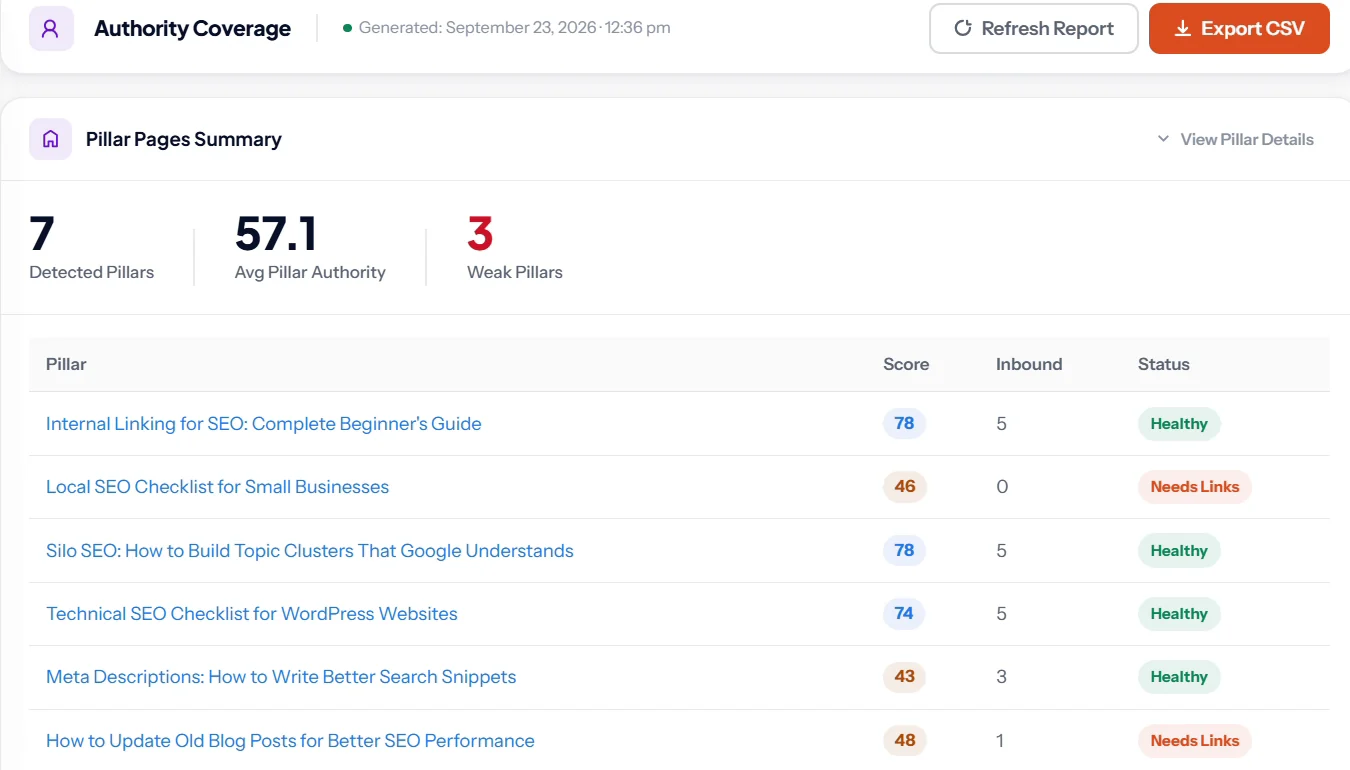
The Authority Coverage report lists every pillar with a score, how many internal links it receives and whether it is healthy or needs links.
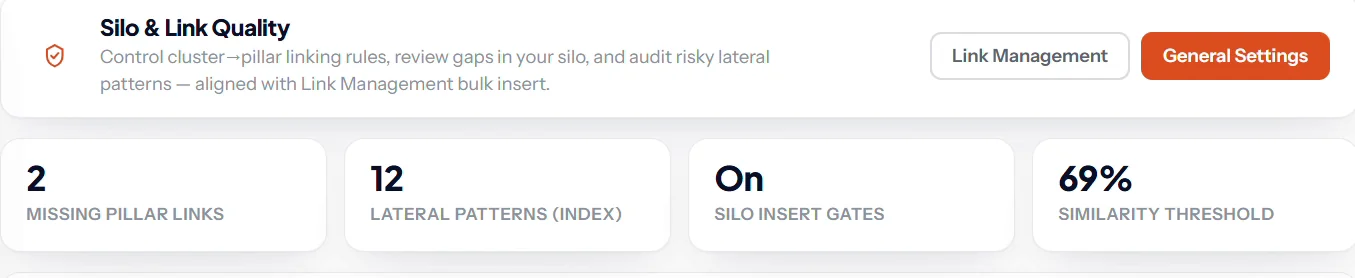
Silo and Link Quality then checks the links inside each cluster: cluster posts missing their pillar link, links that break your silo rules, and near duplicate pairs that should not link to each other.
Pillar, cluster and silo tools are part of every plan; see current pricing.
Topic cluster mistakes to avoid
- Two cluster pages chasing one query. Merge them; see the cannibalization guide.
- Cluster pages that never link back. The link to the pillar is the point of the structure.
- Orphaned cluster pages. A cluster page nothing links to is invisible. See orphan pages.
- A pillar that is just a link list. It needs real content to rank.
- Clusters around topics you do not sell. Build clusters that lead to your services or products.
Keep reading
Clusters only work with good links, so read the internal linking guide next, and check no two pages overlap with the cannibalization guide.
SEO Rank Genius scores every pillar, finds cluster posts missing their pillar link and enforces silo rules when you add links in bulk.